
Code Requirements
Elevator Phone Testing
The following elevator phone testing procedure listed below has been devised to assess the compliance of your existing emergency communication devices with the prescribed standard.
Your state mandates the implementation of ASME A17.1 regulations for elevator emergency communications.
Switch to Cellular Phone Lines and Save 30% or More!
Elevator Phone Monitoring Service
The following elevator phone testing procedure listed below has been devised to assess the compliance of your existing emergency communication devices with the prescribed standard. Additionally, certain properties will need to adhere to the Americans with Disabilities Act (“ADA”) 4.10.14 code, which applies to elevators installed or substantially renovated on or after July 26, 1992. While it’s possible that your building(s) may be exempt from ASME regulations based on a grandfather clause, it’s important to note that states cannot grant exemptions from the federal ADA requirements, and failing to comply with these regulations can potentially expose your employer and building owner to avoidable legal liabilities.
It’s essential to note that when inspectors approve an elevator, their assessment does not guarantee full code compliance. In most cases, they focus on enforcing state or municipal codes and may not thoroughly check for Federal ADA requirements. The responsibility for adhering to code compliance and elevator phone testing rests with the management company and building owners.
Firstnet Priority
for Critical Elevators
Adding FirstNet to your elevator cellular phone lines gives building owners, property managers an extra layer of protection. Instead of competing with everyday mobile traffic, your elevator phones use a network built for emergencies and mission-critical communication.
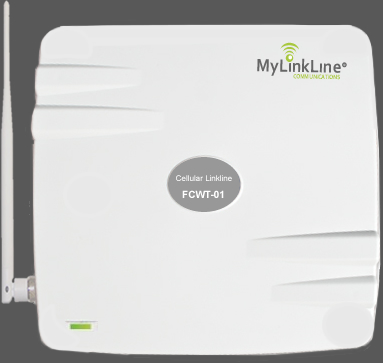
Elevator Phone Line
How to eliminate the cost of a traditional elevator phone line and save 35% or more
If you are looking to reduce elevator phone line fees we recommend you switch to cellular. Cellular elevator phone lines meet all ADA and IBC codes. The benefits include increased reliability and substantial savings over existing conventional telephone line charges.

Elevator Phone Testing
IBC & ASME A17.1-2019
If your elevator is equipped with a two-way communication system that offers both visible text and audible modes, there are additional items that will need to be tested.
- In each mode of operation, it should feature a live interactive system enabling a two-way conversation between elevator occupants and emergency personnel.
- The system should be operational whenever the elevator is operational.
- The system should allow elevator occupants to choose between text-based or audible modes based on their communication needs when interacting with emergency personnel
MyLinkLine elevator monitoring service and cellular phone lines are designed to meet the updated requirements of the International Building Code (IBC) and ASME. Our cellular phone lines have the capability to transmit video and text messages, ensuring compliance with the new IBC code requirements. With MyLinkLine, you can have peace of mind knowing that your elevator communication system aligns with the latest regulations.
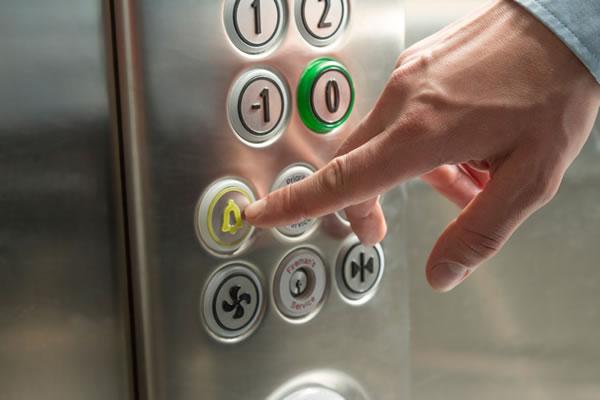
Elevator Phone Testing
Elevator Phone Testing
Instructions Without Display
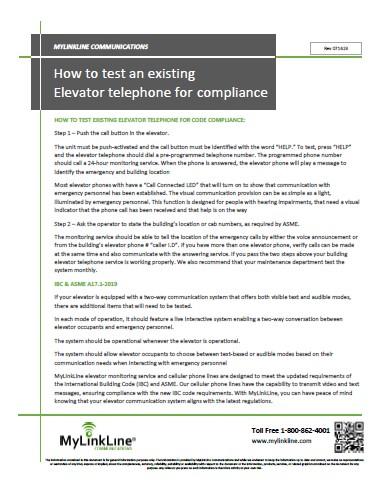
Elevator Phone Testing
Instructions With Display

Elevator Phone Monitoring
Service Brochure

Elevator Phones Testing Guide
Option 1
Elevator phone testing without an in-car display*
Use this option for elevators that have a standard emergency phone without a built-in visual display in the car operating panel.
Step 1
Press the help button in the elevator
Confirm that the button is clearly labeled with the word HELP.
Press HELP and listen for the call to dial your elevator phone monitoring service.
Verify that the call connects to a live operator who answers as your monitoring center.
Step 2
Confirm visual call connected indication
Watch for the call connected light or similar indicator to turn on.
Confirm that the operator stays on the line and that passengers would clearly know that help has responded.
For passengers with hearing impairments, this visual cue is the main signal that someone has answered and is responding.
Step 3
Verify building and cab information
Ask the operator to read back the building name, address, and cab or car number that appears on their screen.
Make sure the information matches your records and is clear enough for dispatch or emergency responders.
Step 4
Test multiple elevators and concurrent calls
If you have more than one elevator, place calls from multiple cabs.
Confirm that the monitoring center can handle more than one elevator call at a time and can still identify each cab correctly.
Step 5
Set a regular testing routine
At a minimum, have your maintenance team test every elevator phone monthly or as required by your local authority.
Document test dates, results, and any corrective actions so you can show a clear record to inspectors and owners.
Option 2
Elevator phone testing with an in-car display*
Use this option for elevators that have a compliant emergency communication system with both audio and visual capabilities, as well as an in-car display screen. These systems support live conversation and on-screen messaging, allowing emergency personnel to communicate clearly with passengers who may be unable to hear or speak.
Step 1
Activate the emergency call
Press the dedicated HELP button on the car operating panel.
Confirm that the call connects to the elevator phone monitoring center and that you can hear the operator.
Check that any call connected indicator or message appears on the screen so passengers know the call went through.
Step 2
Verify two-way communication choices
Ask the operator to speak with you through the speaker and confirm audio is clear at a normal speaking voice.
If the system supports text-based messaging, ask the operator to send a test message and confirm that you can see it on the display.
Make sure the text on the screen is large enough and easy to read from inside the cab.
Step 3
Confirm visual messaging for passengers who cannot hear or speak
Ask the operator to send a simple message explaining that help has been contacted and is on the way.
Confirm that the message appears on the screen and remains long enough for a passenger to read.
Verify that the system provides a clear way for passengers to respond, such as using door open and door close buttons or other clearly labeled controls to answer yes or no questions if that feature is available.
Step 4
Check display visibility and lighting
Stand in different positions inside the cab and confirm that the screen is still readable.
Verify that cabin lighting is bright enough that passengers can see the display and any indicator lights.
If needed, work with your elevator contractor to adjust screen brightness or car lighting so messages remain easy to read.
Step 5
Confirm building and cab identification
Ask the operator to read back the building name, address, and cab identifier displayed on their screen.
Confirm that this information matches your records and would help responders locate the correct elevator quickly.
Step 6
Test under different conditions
Run at least one test with the elevator stopped at a different floor to confirm communication still works as expected.
If your system has backup power, coordinate with your elevator contractor to confirm that the communication system and display remain active during a simulated power loss.
Step 7
Document and repeat on a schedule
Record the date, time, and results of each test, including who performed it and any issues found.
Follow local requirements and your internal policy for test frequency, often monthly or more frequently for critical facilities.
Elevator Cellular Phone Lines | AT&T | FirstNet® | 26 Years in Business
*DISCLAIMER – We do our best to keep this information current, but codes can change. This content is for general information only and may not match requirements in your area, so confirm with your inspector, elevator provider, and local AHJ. MyLinkLine makes no warranties and is not responsible for actions taken based on this information.*
Elevator Phone Testing | Frequently Asked Questions
What is elevator phone testing?
Elevator phone testing is a repeatable procedure used to confirm your elevator emergency communication device connects to a live operator, provides a clear call connected indication, and correctly identifies the building and cab information.
How often should elevator phones be tested?
Test every elevator phone at least monthly or as required by your local authority, and keep a written record of dates, results, and corrective actions.
How do I test an elevator phone without an in car display?
Press the HELP button, confirm it dials your monitoring center, verify a live operator answers, then confirm the call connected light or indicator turns on, and the operator stays on the line. Complete testing instructions are available on the MyLinkLine webpage
What should I verify during a standard test call?
Confirm the call connects to a live operator, audio is clear, the call connected indicator is visible, and the operator can read back the correct building name, address, and cab or car number.
Why is the call connected light or indicator important?
It is the primary visual cue that someone has answered and help is responding, especially for passengers with hearing impairments.
How do I test multiple elevators in one building?
Place test calls from multiple cabs and confirm the monitoring center can handle concurrent calls while still identifying each cab correctly.
How do I test elevators with an in car display?
Press HELP, confirm you can hear the operator, confirm a call connected indicator or on-screen message appears, then verify any text messaging works if your system supports it and the text is readable inside the cab. Complete instructions are available on the MyLinkLine website.
What display checks should I include for accessibility?
Confirm that on-screen messages are large enough to read, remain visible long enough for a passenger to understand, and that the display is readable from different positions inside the cab with normal cabin lighting.
How do I confirm the monitoring center has the right location information?
Ask the operator to read back the building name, address, and cab identifier shown on their screen, then compare it to your records.
Should I test from different floors or conditions?
Yes, run at least one test with the elevator stopped at a different floor to confirm communication still works as expected.
Do I need to test backup power behavior?
If your system has backup power, coordinate with your elevator contractor to confirm that the communication system and display remain active during a simulated power loss.
Does this testing guide replace local code requirements?
No, codes and local requirements vary and can change, so confirm your testing and compliance requirements with your inspector, elevator provider, and local AHJ.
FIRST MONTH FREE!
Last chance to complete an online quote and we will give you the first month of monitoring service at no cost!
***This offer expires in 3 days***

Elevator Phone Lines
Go cellular and save 35% or more on monthly phone line fees. If you currently pay for an elevator telephone line you are paying too much. Our cellular phone lines work with all elevator telephones and monitoring services. To learn more click on the link below.

Elevator Phone Monitoring Service
Our monitoring and dispatch center has been delivering professional service for over twenty years. Our staff has extensive technical and interpersonal training to assist in emergency and non-emergency situations. To learn more click on the link below.
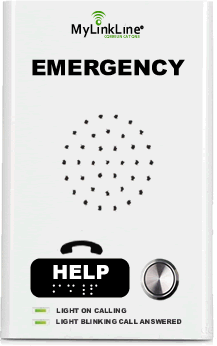
Emergency Elevator Phones
MyLinkLine will only install elevator telephones that meet code requirements. We also comply with ADA, ASME, ANSI, and IBC codes in addition to all State and Local requirements if applicable. Volume pricing is available. To learn more click on the link below.
Other Useful MyLinkLine Resources
Elevator
Phone Monitoring
Elevator
Phone Testing
Elevator Phone
Code
Cellular Elevator Phone Lines for Elevator & Service Companies
Cellular Phone Lines for Property Managers
AT&T
FirstNet Solutions
Pool
Phone Lines
Elevator Cellular
Phone Line
Elevator Phone Monitoring
for Property Managers
Request
Quote