
Switch to Cellular Phone Lines and Save 30% or More!
Elevator phone compliance is simple on paper, but messy in real buildings.
Elevator phone compliance is simple on paper, but messy in real buildings.
Landlines get expensive and unreliable. Calls get routed to the wrong place. Staff do not know what to say when an inspector tests the phone. A quiet provider change breaks the line, and nobody notices until an inspection fails or a passenger presses the help button.
Most teams are stuck coordinating the phone company, the elevator contractor, and the monitoring service, while trying to prove the system meets requirements and works every time.
A live answer. Clear location identification. A documented test routine. A line that stays up when power or carriers change. That is what our cellular lines and monitoring services are built to support.

Elevator Phone Requirements and Code Compliance
Telephones Programmed to a General Office Line
When elevator telephones are programmed to ring an office phone, Elevator Phone Requirements depend on what happens next. The person who answers must know how to confirm the elevator location, communicate clearly, and respond the right way every time.
Inspectors often test elevator phones during annual inspections, and Elevator Phone Requirements can fail on a simple silent call test. If the inspector presses the call button and stays quiet, the staff member still needs to treat it as a real event, follow the script, and be able to identify the elevator and property without guessing.
Programming Elevator Telephones to Call 911
Programming an elevator telephone to dial 911 can provide access to emergency services around the clock, but Elevator Phone Requirements are not only about reaching a dispatcher. Most properties also need a way to reach building contacts and maintenance for non-emergency situations.
Many 911 dispatch centers ask that elevator telephones not be routed to 911 for routine answering because Elevator Phone Requirements include proper handling of nuisance calls and false activations. If someone presses the call button and exits the cab without responding, the dispatcher cannot confirm what is happening or reach your building contacts, and emergency personnel may still be sent to the site, which can lead to avoidable costs.
Programming Elevator Telephones to Call MyLinkLine Answering and Dispatch
MyLinkLine monitoring is designed to support Elevator Phone Requirements by answering calls with trained staff who can assist in emergency and non-emergency situations. When the elevator phone button is pressed, the call routes to a 24-hour monitoring center, and the elevator and location are identified automatically.
Our monitoring screens display account details, contact names, and your call list, so Elevator Phone Requirements are supported with consistent handling and the right notification order. The service is built to support accessibility needs and is aligned with ADA, ASME, and IBC expectations for emergency communications.
ADA Elevator Phone Requirements and Code Compliance
Elevator Phone Requirements under ADA focus on accessibility so people with physical, visual, hearing, or speech impairments can use emergency communications. For many properties, this means the emergency communication device must be easy to find, easy to operate, and clearly identified.
For example, Elevator Phone Requirements often reference ADA section 4.10.14 on emergency communications and the expectation that emergency two-way communication systems comply with ASME A17.1. Guidance commonly addresses mounting height, identification with raised symbols and lettering, and accessible hardware when the device is located in a compartment.
ASME Elevator Phone Requirements and Code Compliance
Elevator Phone Requirements commonly reference ASME section 2.27.1.1 for emergency communications and the need for reliable two-way communication between the elevator and a point outside the hoistway. When required, the communication system should follow ASME A17.1 guidance on operable height, identification, and accessibility.
If the system uses a handset, Elevator Phone Requirements often include cord length guidance and accessible controls for any compartment door hardware, consistent with ADA control and operating mechanism requirements. The emergency intercommunication system does not necessarily require voice communication, depending on the system design and local expectations.
Elevator Phone Requirements by State
ASME A17.1:
It refers to the means of two-way conversation between the elevator car and a readily accessible point outside the hoistway, which is available to emergency personnel (telephone, intercom, etc.).
The means to activate the two-way conversation or both are normally connected to the building’s power supply. They should automatically switch to a source of standby or emergency power as required by the applicable building code or, in the case of healthcare facilities, the Standard for Health Care Facilities (ANSI/NFPA-99) after the normal power supply fails.
The power source should be capable of operating the audible signaling device and illuminating the alarm switch for at least one hour, and the means of two-way conversation for at least four hours.
In buildings where a building attendant (building employee, watchman, etc.) is not continuously available to take action when the required emergency signal is activated, the elevators should be equipped with a means inside the car for communicating with or signaling a service capable of taking appropriate action in the absence of a building attendant.
Elevator Phone Requirements
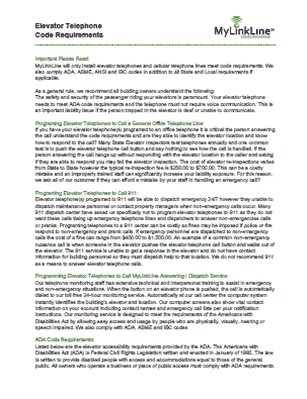
Elevator Telephone Testing
Instructions Without Display
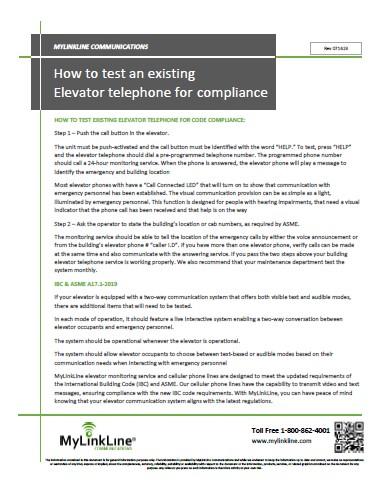
Elevator Telephone Testing
Instructions With Display

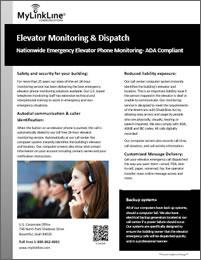
Elevator Phone Monitoring
Service Brochure
How To Test Elevator Telephones | Elevator Phone Requirements
Option 1
Testing elevator phones without an in-car display*
Use this option for elevators that have a standard emergency phone without a built-in visual display in the car operating panel.
Step 1
Press the help button in the elevator
Confirm that the button is clearly labeled with the word HELP.
Press HELP and listen for the call to dial your elevator phone monitoring service.
Verify that the call connects to a live operator who answers as your monitoring center.
Step 2
Confirm visual call connected indication
Watch for the call connected light or similar indicator to turn on.
Confirm that the operator stays on the line and that passengers would clearly know that help has responded.
For passengers with hearing impairments, this visual cue is the main signal that someone has answered and is responding.
Step 3
Verify building and cab information
Ask the operator to read back the building name, address, and cab or car number that appears on their screen.
Make sure the information matches your records and is clear enough for dispatch or emergency responders.
Step 4
Test multiple elevators and concurrent calls
If you have more than one elevator, place calls from multiple cabs.
Confirm that the monitoring center can handle more than one elevator call at a time and can still identify each cab correctly.
Step 5
Set a regular testing routine
At a minimum, have your maintenance team test every elevator phone monthly or as required by your local authority.
Document test dates, results, and any corrective actions so you can show a clear record to inspectors and owners.
Option 2
Testing elevator phones with an in-car display*
Use this option for elevators that have a compliant emergency communication system with both audio and visual capabilities, as well as an in-car display screen. These systems support live conversation and on-screen messaging, allowing emergency personnel to communicate clearly with passengers who may be unable to hear or speak.
Step 1
Activate the emergency call
Press the dedicated HELP button on the car operating panel.
Confirm that the call connects to the elevator phone monitoring center and that you can hear the operator.
Check that any call connected indicator or message appears on the screen so passengers know the call went through.
Step 2
Verify two-way communication choices
Ask the operator to speak with you through the speaker and confirm audio is clear at a normal speaking voice.
If the system supports text-based messaging, ask the operator to send a test message and confirm that you can see it on the display.
Make sure the text on the screen is large enough and easy to read from inside the cab.
Step 3
Confirm visual messaging for passengers who cannot hear or speak
Ask the operator to send a simple message explaining that help has been contacted and is on the way.
Confirm that the message appears on the screen and remains long enough for a passenger to read.
Verify that the system provides a clear way for passengers to respond, such as using door open and door close buttons or other clearly labeled controls to answer yes or no questions if that feature is available.
Step 4
Check display visibility and lighting
Stand in different positions inside the cab and confirm that the screen is still readable.
Verify that cabin lighting is bright enough that passengers can see the display and any indicator lights.
If needed, work with your elevator contractor to adjust screen brightness or car lighting so messages remain easy to read.
Step 5
Confirm building and cab identification
Ask the operator to read back the building name, address, and cab identifier displayed on their screen.
Confirm that this information matches your records and would help responders locate the correct elevator quickly.
Step 6
Test under different conditions
Run at least one test with the elevator stopped at a different floor to confirm communication still works as expected.
If your system has backup power, coordinate with your elevator contractor to confirm that the communication system and display remain active during a simulated power loss.
Step 7
Document and repeat on a schedule
Record the date, time, and results of each test, including who performed it and any issues found.
Follow local requirements and your internal policy for test frequency, often monthly or more frequently for critical facilities.
Elevator Phone Requirements and Code Compliance
AT&T, Firstnet® , 26 Years in Business
*DISCLAIMER – We do our best to keep this information current, but codes can change. This content is for general information only and may not match requirements in your area, so confirm with your inspector, elevator provider, and local AHJ. MyLinkLine makes no warranties and is not responsible for actions taken based on this information.*
Firstnet Priority
for Critical Elevators
Adding FirstNet to your elevator cellular phone lines gives building owners, property managers an extra layer of protection. Instead of competing with everyday mobile traffic, your elevator phones use a network built for emergencies and mission-critical communication.
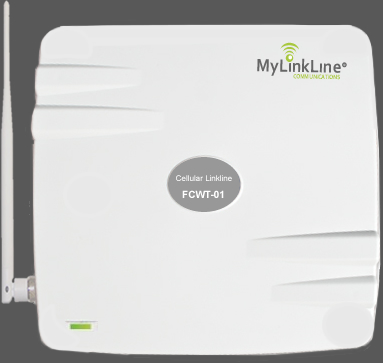
Elevator Phone Line
How to eliminate the cost of a traditional elevator phone line and save 35% or more
If you are looking to reduce elevator phone line fees we recommend you switch to cellular. Cellular elevator phone lines meet all ADA and IBC codes. The benefits include increased reliability and substantial savings over existing conventional telephone line charges.

IBC & ASME A17.1-2019
If your elevator is equipped with a two-way communication system that offers both visible text and audible modes, there are additional items that will need to be tested.
- In each mode of operation, it should feature a live interactive system enabling a two-way conversation between elevator occupants and emergency personnel.
- The system should be operational whenever the elevator is operational.
- The system should allow elevator occupants to choose between text-based or audible modes based on their communication needs when interacting with emergency personnel
MyLinkLine elevator monitoring service and cellular phone lines are designed to meet the updated elevator phone line requirements of the International Building Code (IBC) and ASME. Our cellular phone lines have the capability to transmit video and text messages, ensuring compliance with the new IBC code requirements. With MyLinkLine, you can have peace of mind knowing that your elevator communication system aligns with the latest elevator phone line requirements.
Still, have elevator phone line requirements questions? Call us at 800-862-4001. We will be happy to assist you.
FAQ’s
Frequently Asked Questions | Elevator Phone Requirements and Code Compliance
Do you monitor other types of emergency phones?
Yes, we monitor Elevator Phones, Wheelchair Lifts Phones, Area of Refuge Phones, Parking Lot Phones, Campus Phones, Emergency Phones, Swimming Pool Phones, SOS Phones, Blue Light Phones, Call Box Phones, Intercom Phone Lines, Alarm Phone Lines.
What are the most important elevator phone requirements to pass inspection?
A working emergency call button, a clear connection to the answering point, and accurate location identification are the basics inspectors commonly verify. Always confirm specifics with your local AHJ.
Can emergency telephones be programmed to call 911?
While emergency telephones may be programmed to dial 911 for emergency dispatch, it is generally discouraged. Most 911 dispatch centers prefer that emergency telephones do not tie up emergency lines with non-emergency or prank calls. Additionally, fines may be imposed for dispatching emergency personnel to non-emergency situations. Therefore, we do not recommend relying solely on 911 for answering emergency telephone calls.
Why is elevator phone monitoring necessary?
Code regulations require that elevator telephones be connected to a monitored telephone number 24 hours a day. ADA compliance also mandates that telephone monitoring services must not rely on voice communication and must be capable of handling emergency calls from individuals with disabilities. Our state-of-the-art 24-hour monitoring service ensures the best emergency monitoring solutions available, with well-trained staff to assist in both emergency and non-emergency situations.
Can a cellular elevator phone line meet code compliance needs?
Yes. Cellular can replace outdated landlines while keeping a dedicated connection for the elevator phone, and it can support monitoring and routine testing documentation.
Can MyLinkLine monitor emergency and elevator phones purchased from another company?
Absolutely. We can monitor and reprogram elevator phones from any manufacturer, including those already built into existing car operating panels. No additional equipment is required for our monitoring services.
Do you charge additional fees based on the number of calls made from the cellular phone line?
No, we do not charge additional fees based on the number of calls made from an elevator phone line.
Does MyLinkLine elevator phone monitoring meet current communication requirements?
Our elevator phone monitoring service and cellular elevator phone lines are designed around current elevator communication requirements. That includes support for audio and visual messaging in elevators that use in-car displays. Local adoption timelines vary by state, so we always recommend confirming specific code versions with your elevator contractor and authority having jurisdiction.
Will a MyLinkLine cellular elevator phone line work with my existing elevator phone?
Yes. MyLinkLine Cellular Connect works with elevators that already have telephones installed, including phones built into existing car operating panels.
Can you provide monitoring or route to my preferred service?
Yes. We can provide elevator phone monitoring, or we can program the phone to a service of your choice if your setup supports it.
WANT AN EXTRA 50% OFF YOUR FIRST PURCHASE?
Complete the online quote today and we will discount activation fees by 50% off the original price!
***This is a limited time promotional offer***
Other Useful MyLinkLine Resources
Elevator
Phone Monitoring
Elevator
Phone Testing
Elevator Phone
Code
Cellular Elevator Phone Lines for Elevator & Service Companies
Cellular Phone Lines for Property Managers
AT&T
FirstNet Solutions
Pool
Phone Lines
Elevator Cellular
Phone Line
Elevator Phone Monitoring
for Property Managers
Request
Quote